Free browser tool
Remesh Online: Rebuild Any Mesh as One Clean Surface
Drop a model and the voxel remesh traces a brand-new closed surface over its shape, seals small holes, removes hidden inner faces and reduces the result to the triangle count you pick. It runs on your device and is free.
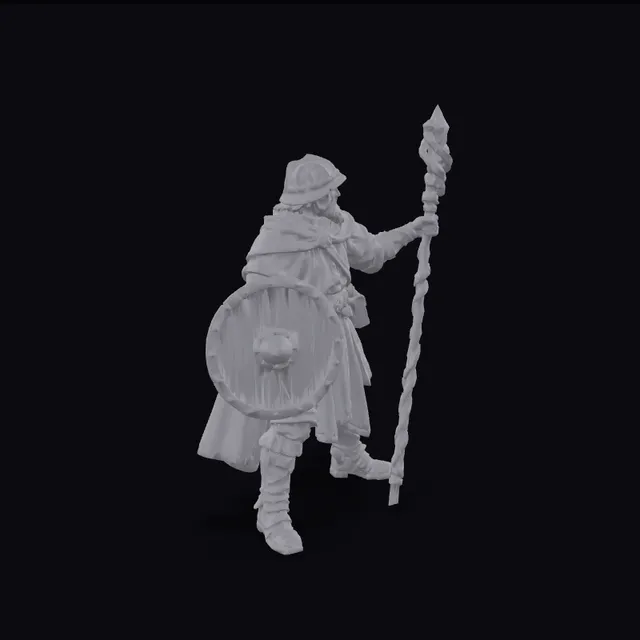
 Before
- No upload, no sign-up
- Watertight check on every result
- Triangle budget from 5k to All
How to remesh a model in three steps
No Blender modifier stack and no install. A recent desktop browser is enough.
- 01
Drop the model
GLB, glTF, FBX, OBJ, STL, 3MF, PLY, DAE, USDZ or STEP, up to 200 MB. The file is opened inside the page and never sent to a server.
- 02
Set detail and holes
Detail is the voxel grid across the longest side, 48 to 256 (default 128). Close holes up to sets how wide a gap gets sealed: cracks, 2 voxels or 4 voxels. Smoothing runs 0 to 10 passes (default 3).
- 03
Pick a budget and run
Choose All, 100k, 50k, 20k (default) or 5k triangles, then remesh. The page reports whether the result is watertight, the grid size and how many floating specks were dropped. Download it as a GLB.
What a voxel remesh does to your mesh
A voxel remesh ignores the old triangles completely and rebuilds the surface from the shape they enclose.
1. Measure
The space around the model is divided into a grid, and each grid point records its distance to the nearest triangle.
2. Fill
The outside is flooded in from the grid border. Wherever the flood can't reach is solid, so internal faces, overlapping shells and self-intersections all merge into one volume.
3. Trace
Marching cubes draws a new surface where solid meets outside: one closed skin of small, even triangles.
4. Smooth and reduce
Taubin smoothing removes the voxel stair-steps without shrinking the model, and meshoptimizer reduces it to your triangle budget.
Remesh settings: what to pick
Detail matters most. Anything thinner than about two voxels melts away, so size it by the thinnest part you want to keep.
| Detail (voxels across) | Good for | Watch out for |
|---|---|---|
| 48 to 96 | Blocky blockouts, base meshes for sculpting, fast tests | Fingers, ears and thin rims vanish |
| 128 (default) | Most figures, props and print repairs | Fine engraving softens |
| 192 to 256 | Detailed sculpts, thin parts, hard edges | Slower and needs more memory; takes longer on laptops |
On a 20 cm model, 128 voxels across means each voxel is about 1.6 mm. Halve the model's longest side or double the detail to keep finer parts.
Remesh vs retopology: is this an auto retopology tool?
Partly. Retopology means rebuilding a mesh with a better triangle or quad layout. A voxel remesh gives you a clean, even, closed triangle surface automatically, which is what most people need when they search for an auto retopology fix: a scan, an AI model or a kitbash turned into one solid you can sculpt, print or reduce.
What it does not give you is artist topology: quad loops that follow the mouth, eyes and joints for animation. For that you still want a dedicated retopology tool or manual work in Blender. Use this remesh as the clean starting point, and see Blender workflows for the next step. If you only need fewer triangles on a model that is already clean, the mesh simplifier keeps its textures and is faster.
What you lose when you remesh online
A full rebuild is a trade. Know what goes before you run it.
Do
- Keep the original file; a remesh can't be undone
- Raise Detail until thin parts survive, then lower the triangle budget
- Close holes up to 4 voxels for open scans and models with gaps
- Turn on Wireframe and switch between Before and After to compare
Avoid
- Expect textures to survive: the old UVs are gone, so the result is untextured
- Remesh a hard-surface CAD part when sharp edges matter; voxels round them off
- Push the budget to 5k on a detailed character and expect the face to hold
- Use it on a model with intentional separate parts you need to keep apart
Why a watertight remesh matters for 3D printing
A slicer needs a closed solid: every edge shared by exactly two triangles, no holes, no faces inside the volume. Scans and AI models often break that rule in ways you can't see. The voxel remesh produces a closed surface by construction, and the tool checks every edge and tells you if the result is watertight.
- If you get a watertight result, it is ready for the slicer.
- If a very low triangle budget folded a few edges together, try a higher budget or All.
- If the model had no inside (an open sheet), it is rebuilt as a thin shell around its surface; try closing holes up to 4 voxels instead.
The download is a GLB. Most slicers open STL or 3MF, so convert it in Blender, or open the GLB in the 3D model viewer first to check it.
Models that arrive already remeshed
If your model comes from the Snapshapy agent, you don't need this page. Ask the agent in the chat to remesh a model for printing and it rebuilds it at the triangle count you set, for free. The textures come off and the triangle count drops to your number, just like here.
The agent turns one photo into a textured 3D model in 4–7 minutes; new accounts get one free model, downloadable as GLB. The print formats STL, OBJ and 3MF come with a paid plan; see pricing. Start at image to 3D, or try a stylised result on low poly.
- Free remesh in the chat
- You set the triangle count
- Print formats on paid plans
Frequently asked questions
Is this remesh tool free?
Yes. There is no account, no watermark and no limit on the number of models. The remesh runs in a background worker in your browser, on your own processor, so there is no server cost. The practical limit is memory: Detail 256 on a large model needs more RAM than an older laptop may have.
What does remeshing do?
It replaces a model's triangles with a new set built over the same shape. A voxel remesh samples the model on a 3D grid, fills the inside and traces a fresh closed surface. The result has even triangles, no holes, no hidden inner faces and no overlaps, which makes it easy to sculpt, print or reduce.
Will the remesh be watertight?
Usually yes, and the tool checks every edge and tells you. A voxel surface is closed by construction. The one exception is a very low triangle budget, where reduction can fold two edges together; the page warns you and suggests a higher budget. An open sheet with no inside is rebuilt as a thin shell around its surface.
Why did my textures disappear?
Textures depend on UV coordinates attached to the old triangles. A remesh throws those triangles away and builds new ones, so there is nothing left for the old texture to map onto. Unwrap the new mesh with the UV unwrap tool and bake or repaint the texture, or use the mesh simplifier instead if you need to keep it.
What Detail value should I use?
Start at the default, 128 voxels across the longest side. If thin parts like fingers, straps or a sword blade disappear, raise it toward 256. If you only want a smooth base for sculpting, 64 to 96 is enough and much faster. Detail sets how fine the surface is before reduction, not the final triangle count.
Is my model uploaded anywhere?
No. The file is read in the page and the remesh runs in a worker on your own device. Nothing is sent to a server, so it is safe for client scans, paid assets and unreleased designs. Closing the tab frees the memory straight away.
What is the difference between remesh and mesh simplification?
Simplification removes triangles from the existing surface and keeps its UVs and textures, holes and all. A remesh builds a completely new closed surface and loses the textures, but fixes holes, overlaps and inner faces on the way. Simplify a clean textured model; remesh a broken or messy one.
Related tools
Remesh your model now
Drop a file into the remesh tool at the top of the page. It never leaves your computer.