Free browser tool
GLB Compressor for Web, AR and Games
Drop a .glb file and this GLB compressor packs its geometry and shrinks its textures, then shows the size before and after. It runs on your own device, takes seconds and costs nothing.
 Before
- No upload, no sign-up
- Size before and after
- Download a smaller GLB
How to compress a GLB file
You need a recent browser and the file. No account, no command line, no build step.
- 01
Drop the GLB
Drag a .glb onto the tool at the top of this page, or click to pick it. glTF, FBX, OBJ, STL and other formats up to 200 MB work too; they are converted to GLB first. The file never leaves your computer.
- 02
Pick a texture size
Choose the largest texture edge to keep: Keep, 2K (default), 1K or 512 px. Then pick the geometry mode: Meshopt for the smallest file, or Compatible for importers that can't read meshopt yet.
- 03
Compare and download
Read the new size and the percentage saved, check the preview, then download the compressed GLB. A small saving usually means the file was already optimised.
What the GLB compressor changes inside the file
A GLB is a binary glTF: one file holding the mesh, the materials and the textures. Compression works on each part differently.
Textures
Images are usually 70 to 90% of a GLB from an AI generator or a scan. Scaling a 4096 px map down to 2048 px cuts its pixels by 75%, and a modern image codec shrinks it further.
Geometry
Vertices are welded, reordered for the GPU cache and quantized: positions and UVs are stored as 16-bit integers instead of 32-bit floats. In the default mode, meshopt then packs the buffers, which typically shrinks geometry by well over half.
Clean-up
Unused materials, duplicate textures and empty nodes are dropped. They add bytes and nothing you can see.
What stays
The triangle count, the UV layout, the material setup and the overall look. Compression makes the file lighter; it does not remove polygons.
Compress GLB files: which texture size to pick
In the GLB compressor, the texture limit decides most of the saving. Choose by how large the model will appear on screen.
| Texture size | Good for | Trade-off |
|---|---|---|
| Keep | Close-up product shots, hero assets | Smallest saving: textures re-encoded as WebP at their own size |
| 2K (default) | Web viewers, AR, most game props | Hard to tell apart on a screen; a big cut from 4K or 8K maps |
| 1K | Catalog grids, mobile pages, background props | Soft when zoomed in, very small file |
| 512 | Thumbnails, distant objects, low-end phones | Visibly blurry at any real size |
Textures are re-encoded as WebP, which glTF supports through the EXT_texture_webp extension. A texture is never scaled up, and if the result would be larger than your original, you get the original back.
Draco, meshopt and texture compression compared
There are several common ways to make a GLB smaller, and this GLB compressor combines one for geometry with one for textures. They target different parts of the file and can be combined.
| Method | What it compresses | Used here |
|---|---|---|
| Draco | Geometry only, very tightly, decoded by a WASM library at load | No |
| meshopt + quantization | Geometry and animation, fast to decode, works well with gzip | Yes, the Meshopt mode |
| Quantization only | Vertices stored as small integers (KHR_mesh_quantization), readable by more importers | Yes, the Compatible mode |
| WebP textures | Colour, normal and other maps, about 25 to 35% smaller than PNG or JPG at similar quality | Yes |
| KTX2 / Basis | Textures that stay compressed in GPU memory | No |
Why GLB file size matters
Every megabyte is a wait for someone on a phone. A 20 MB product model takes about 16 seconds to arrive on a 10 Mbit/s mobile connection; at 3 MB it is under 3 seconds.
- Web viewers start drawing only after the whole file has arrived, so size is load time.
- AR on phones keeps the model in memory next to the camera feed, so large textures can crash older devices.
- Games and engines pay for every texture in video memory on every frame, and GPU memory is counted in decoded pixels, not in file bytes.
A common target is under 5 MB for a web product viewer and under 10 MB for AR. If the file is still heavy after compression, the triangle count is the problem: cut it first with the mesh simplifier, then compress the result.
Tips to get the smallest GLB
The order you do things in changes the result.
Do
- Reduce triangles first, compress last: compression is the final step before you publish
- Keep your original file; compression is one-way and you may want a different size later
- Pick the texture size by the largest the model will ever appear on screen
- Open the result in the glTF viewer to check it on its own
Avoid
- Compress an already compressed file again and expect a big saving
- Shrink a normal map further than the colour map; bumps blur before colour does
- Judge quality from a thumbnail; zoom in to the closest view your users will get
- Use the GLB compressor to fix a model that is simply too dense
Need a GLB to start with?
If you came here with a photo rather than a file, the Snapshapy agent turns one picture into a textured 3D model in 4–7 minutes, and GLB export is free on every plan. Start at image to 3D or open the agent at /app and describe what you want.
New accounts get 3 credits with no card, which is one model. The agent can also remesh its own models to a target triangle count for free, so they arrive light enough for the web. STL, OBJ, 3MF and USDZ export come with a paid plan; see pricing. For engine-ready models, see game assets and AR models.
- One photo in, textured GLB out
- GLB free on every plan
- First model free, no card
Frequently asked questions
Is this GLB compressor free?
Yes. There is no sign-up, no watermark and no limit on how many files you compress. Everything runs in your browser with your own processor and graphics card, so there is no server bill to pass on. The only practical limit is your device's memory when a file is very large or has many 4K or 8K textures.
How much smaller will my GLB get?
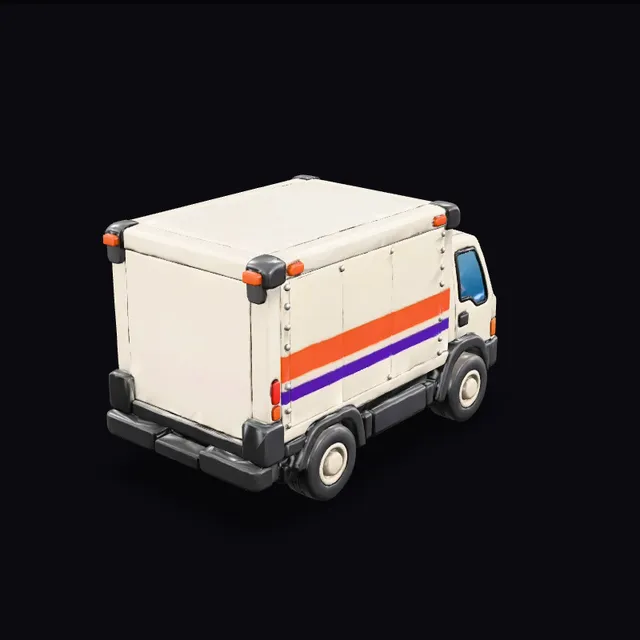
It depends on what the file is made of. Textures are most of the size in a typical generated or scanned model, so a file with 4K maps can shrink to a fraction of its size at 2K or 1K. The sample on this page, a textured figurine, goes from 4.0 MB to 544 KB at the defaults. A file that is mostly geometry saves less. The tool shows the exact size before and after, and the percentage, for your own file.
Is my GLB file uploaded?
No. The file is opened, compressed and saved by code that runs inside this page. Nothing is sent to a server, which makes it safe for client work and unreleased products. It is also why it is quick: there is no upload or download wait, only the processing on your device.
Will compression change how my model looks?
At sensible settings you will not see a difference at normal viewing distance. Smaller textures get softer when you zoom right in, so pick the size by the closest view your users get. The triangle count and the material setup stay the same, and the preview lets you check before you download.
Does the compressed GLB work everywhere?
The default Meshopt mode opens in three.js, Babylon.js, model-viewer, Unity with glTFast and most web viewers. Some desktop importers can't read meshopt yet. For those, pick Compatible: it only quantizes the vertices, which Blender and most importers read, and the file is a little larger. Textures are WebP in both modes.
What is the difference between compressing and simplifying?
A GLB compressor stores the same model in fewer bytes: smaller textures and packed geometry, same triangles. A simplifier removes triangles, which changes the shape slightly and also cuts the work a device does on every frame. For a heavy model, do both: simplify first, then compress the lighter result.
Why did the file barely get smaller?
It was probably optimised already: textures at or below the size you picked, or geometry that is already packed. Try a smaller texture size if the model is only shown small. If the file is mostly geometry with millions of triangles, the saving has to come from reducing triangles, not from compression.
Related tools
Compress your GLB now
Drop it into the GLB compressor at the top of the page. It never leaves your computer.