Compare · November 2026

Meshy vs Tripo: Which AI 3D Generator Fits Your Work?

Meshy vs Tripo, side by side: both turn an image or a prompt into a textured 3D model and bill in credits, but they differ on billing, free-plan rights, print tools and topology. Then a third option, Snapshapy, for anyone who mostly wants cheap textured models month to month.

  • Prices as of November 2026
  • Free plans and licences compared
  • Printing and game advice
  • A third option where it fits

Meshy vs Tripo in four numbers

$20 vs $240
First full price: Meshy Pro per month, Tripo Pro per year (billed annually)
100 vs 200
Free credits a month: Meshy (CC BY 4.0) vs Tripo (public, non-commercial)
30 credits
A textured model on Meshy's default model, $0.60 on Pro; 15 on its Lite models
≈200
Models a month on Tripo Pro by Tripo's own estimate, from 3,000 credits

Meshy vs Tripo: the verdict

Tripo is the better deal if you generate a lot and can pay for a year: Pro's 3,000 monthly credits make about 200 models, and its toolset leans toward clean topology, with Smart Mesh, Smart Low Poly, segmentation and retopology. Meshy is the easier one to start and the stronger one for printing: month-to-month billing from a $10 first month, a free plan whose output may be used commercially with credit, a full print toolkit and plugins for six slicers. Game artists who care about topology lean Tripo; hobbyists and printers who want monthly plans lean Meshy. Prices as of November 2026.

Pick Meshy if you…

  • Want to pay month to month, from a $10 first month
  • May sell free models with attribution (CC BY 4.0)
  • Print through Bambu Studio, OrcaSlicer, Cura, Creality Print, Elegoo or Lychee
  • Want repair, Auto Split and multi-colour print in one place
  • Need BLEND export or a large animation library

Pick Tripo if you…

  • Make hundreds of models a month and can pay yearly
  • Want 200 free credits a month to experiment with
  • Need segmentation, retopology and low-poly modes
  • Need USD export or bridges for ZBrush, Maya or Cocos
  • Rig animals as well as humanoids

Side by side

Meshy vs Tripo pricing (as of November 2026)

USD list prices as shown on each company's pricing page in November 2026. Model counts are each company's own estimates at full use of the plan.

PlanMeshyTripo
Free$0 · 100 credits a month · up to 10 assets$0 · 200 credits a month · ≈13 models
Free-plan rightsCC BY 4.0: commercial use with attributionPublic models, non-commercial
Free-plan downloads10 Meshy 6 Lite models a month15 exports (H2.5 model only)
Entry paid planPro $20/mo ($10 first month) · 1,000 credits · up to 100 assetsPro $20/mo billed annually ($240) · 3,000 credits · ≈200 models
Next planPremium $40/mo ($20 first month) · 3,000 creditsMax $90/mo billed annually ($1,080) · 25,000 credits · ≈1,660 models
Top individual planUltra $100/mo ($50 first month) · 8,000 credits—
TeamsStudio $70/mo · 5,500 shared creditsTeam $55 per seat/mo billed annually
Paid-plan licencePrivate and customer ownedPrivate models, commercial use
New-user offer50% off the first month50% off the first month

Tripo's headline prices are annual rates; it also offers monthly billing, and its own plan card prices Pro at $0.16 a model. Meshy's monthly credits reset each month.

Meshy vs Tripo: what one model costs

On paper, Meshy Pro is up to 100 assets for $20, about $0.20 each. In practice a textured model on Meshy's default model costs 30 credits, so 1,000 credits make about 33, or $0.60 a model. Its lighter Meshy 6 Lite and T2 models make a textured result for 15 credits, about $0.30.

Tripo Pro estimates about 200 models from 3,000 credits. At the annual rate, $240 a year, that is about $0.10 a model if you use the whole allowance; Tripo's own card says $0.16. Max goes lower still.

So in the Meshy vs Tripo price fight, Tripo wins per model, and by a lot at volume. The catch is commitment: Tripo's low price means paying for a year before you know how much you'll use, while Meshy costs $10 for a first month you can cancel. For a light, irregular user, Meshy's monthly bill can be the cheaper one overall.

Side by side

Meshy vs Tripo features compared

What each platform lists, as of November 2026. "Not listed" means we found no mention on its public plan, feature or pricing pages.

FeatureMeshyTripo
Image to 3DSingle image; multi-view on paid plansSingle image; multi-view on paid plans
Text to 3DYesYes
Topology toolsRemeshSmart Mesh, Smart Low Poly, retopology
Part segmentationAuto Split for printingSmart Segmentation
TexturingAI texturing and texture editingUp to 8K textures, texture edit
Rigging and animationAuto-rig; 20 motions free, over 500 paidRig humanoids and animals
Print toolsPrintability check (free); repair, Auto Split, multi-colour (10 credits each)Typically watertight output; check in your slicer
ExportsFBX, OBJ, USDZ, GLB, STL, BLEND, 3MFUSD, FBX, OBJ, STL, GLB, 3MF
Slicer pluginsBambu Studio, OrcaSlicer, Cura, Creality Print, Elegoo, LycheeNot listed
DCC bridgesRoblox, Blender, Godot, Unity, Unreal, Maya, 3ds MaxBlender, 3ds Max, Unity, Unreal, Maya, Cocos, Godot, ZBrush
APIYesYes

Meshy vs Tripo for 3D printing

For printing, Meshy is the more complete tool. It checks a model for holes, non-manifold edges and thin walls for free, then repairs it, splits it into parts that fit your build plate or adds vertex colours for Bambu AMS and Creality CFS, at 10 credits per step. Plugins send the file to six slicers, and paid plans send it to Bambu Studio in one click. A textured default model plus repair is 40 credits, about $0.80 on Pro.

Tripo says its models are typically watertight and exports STL, OBJ and 3MF, but it leaves wall thickness, size and supports to your slicer. Its segmentation helps if you want to print a model in pieces.

If you mainly print single-colour figurines, there is a cheaper route below: Snapshapy prepares the print file at your height for no extra credits. See the best AI for 3D printing ranking for every option.

Meshy vs Tripo for games and animation

For game assets, Tripo's topology tools tip the Meshy vs Tripo choice. Smart Mesh, Smart Low Poly and retopology aim at meshes a technical artist can rig and put in an engine, and it can rig animals as well as humanoids. Bridges cover Blender, Maya, 3ds Max, ZBrush, Unity, Unreal, Godot and Cocos, and it exports USD as well as FBX.

Meshy answers with breadth: auto-rigging, an animation library of over 500 motions on paid plans and bridges for Roblox, Blender, Godot, Unity, Unreal, Maya and 3ds Max. If you need many moving characters quickly, Meshy's library saves time; if you need clean topology, Tripo is the better start. Both offer an API.

3 tools, ranked

Meshy, Tripo or a third option: ranked for monthly buyers

Ranked for the most common buyer: a few dozen textured models a month, paid month to month, with no yearly commitment. At heavy volume on a yearly plan, Tripo would rank first. Prices as of November 2026.

  1. Our pickBest for cheap textured models, month to month

    #1 Snapshapy

    Free 3 credits · Starter $19/mo ($9 first month)as of November 2026

    Not part of the Meshy vs Tripo match, but the cheapest textured model of the three on a monthly plan. Every model is 3 credits, about $0.14 on Starter ($19 for 400 credits, $9 first month), against $0.30 to $0.60 on Meshy Pro. You chat with a 3D agent instead of choosing settings, GLB is free on every plan, rigging two-legged characters is 3 credits with 160 free animation clips, and a print version at your height is free. See Snapshapy vs Meshy and Snapshapy vs Tripo.

    Strengths

    • About $0.14 per textured model on Starter
    • GLB free; STL, OBJ, 3MF, USDZ on paid plans
    • Free print version sized in millimetres
    • Failed jobs refund their credits

    Trade-offs

    • Free plan is 3 credits once, not monthly
    • No API, plugins, FBX or USD export
    • No segmentation or quad topology
    • Tripo yearly is cheaper per model at full use

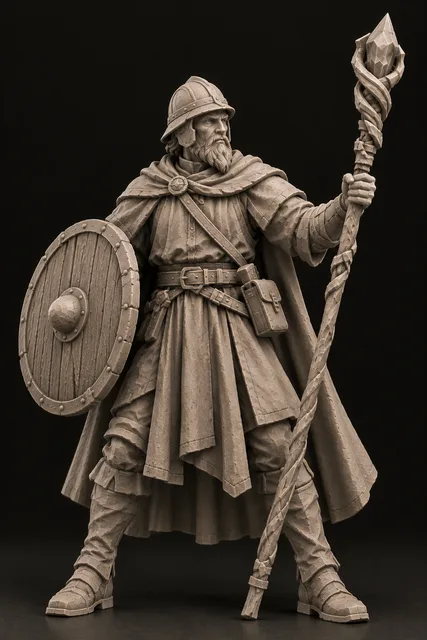
    Textured 3D model of a viking warrior figurine with a round shield and staffPhoto of a resin viking warrior figurine
    Viking figurine, made in Snapshapy
  2. Best for printing and month-to-month plans

    #2 Meshy

    Free 100 credits/mo · Pro $20/mo ($10 first month)as of November 2026

    The better of the two for monthly buyers and printers: a $10 first month, a free plan you may sell from with credit, a full print toolkit and slicer plugins. Its default textured model is 30 credits, so the per-model price is higher than it first looks.

    Strengths

    • Monthly billing, cancel any month
    • CC BY 4.0 free output
    • Printability check, repair, split, multi-colour
    • Over 500 animation motions on paid plans

    Trade-offs

    • About $0.60 per default textured model on Pro
    • Print steps cost 10 credits each
    • Free downloads capped at 10 Lite models
  3. Best for heavy use and game topology

    #3 Tripo

    Free 200 credits/mo · Pro $20/mo billed yearly ($240)as of November 2026

    The value pick if you can pay for a year: about 200 models a month on Pro and topology tools game artists want. For a monthly buyer the $240 up front, and non-commercial free models, rank it third here.

    Strengths

    • About $0.10 a model at the annual rate, full use
    • 200 free credits a month
    • Smart Mesh, segmentation, retopology

    Trade-offs

    • $240 up front for the headline price
    • Free models public and non-commercial
    • No slicer plugins listed

Where Snapshapy fits next to Meshy vs Tripo

Snapshapy is a separate 3D agent you chat with. Upload a photo or describe the object, and it builds a textured model in full colour; most are ready in 4–7 minutes. Ask for changes in plain words, such as "rig it and make it wave" or "print version, 10 cm tall".

It wins on one thing above all: price per textured model on a monthly plan, $0.14 on Starter. It has no API, FBX or USD export, no segmentation and no multi-colour printing, so if those are why you are reading a Meshy vs Tripo page, pick one of them. Try it on image to 3D or compare plans on pricing.

  • 3 credits per textured model
  • Rigging 3 credits, 160 free clips
  • Print version free, sized in mm
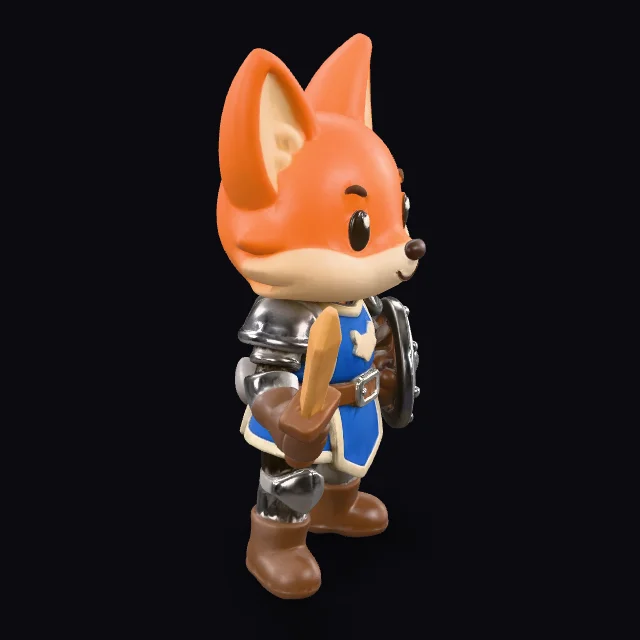
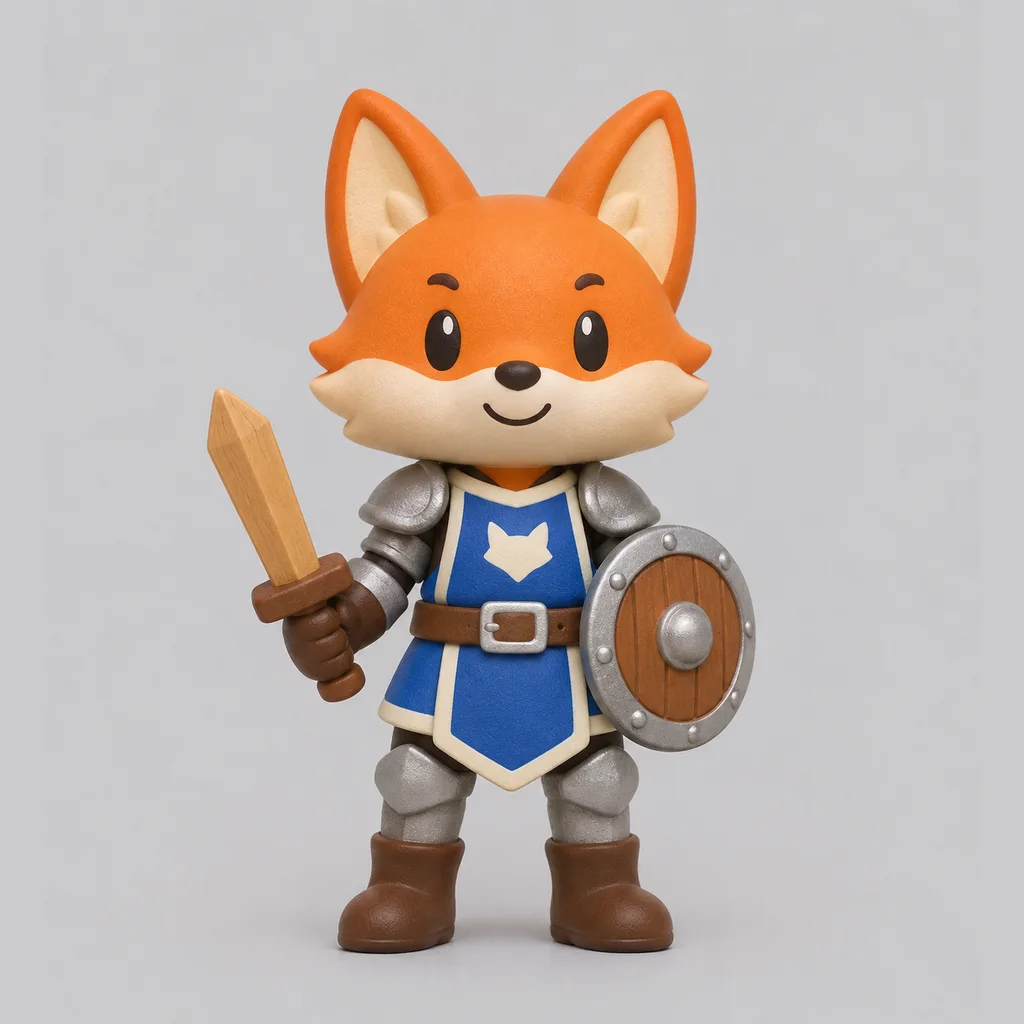
Textured 3D model of a cartoon fox knight toy with a blue tabard, shield and swordSource image for: Textured 3D model of a cartoon fox knight toy with a blue tabard, shield and swordSource

Questions

Frequently asked questions

Short answers, with the same dated numbers as the ranking above.

Try Snapshapy free

Is Meshy or Tripo better?

It depends on the job. Tripo is cheaper per model at volume, about 200 models a month on its $240-a-year Pro plan, and stronger on topology. Meshy bills monthly from a $10 first month, lets free users sell output with attribution and has the better print toolkit and slicer plugins. Pick by how much you generate and whether you print.

Meshy vs Tripo: which is cheaper?

Per model, Tripo: about $0.10 at the annual rate if you use all of Pro's 3,000 credits, against $0.30 to $0.60 for a textured model on Meshy Pro. But Tripo's $20 a month is billed as $240 up front, while Meshy is $10 for the first month. Snapshapy is $0.14 per textured model, billed monthly.

Which has the better free plan, Meshy or Tripo?

Tripo gives more: 200 credits a month, about 13 models, but they are public and non-commercial, with 15 exports. Meshy gives 100 credits a month and caps downloads at 10 Meshy 6 Lite models, but its free output is CC BY 4.0, so you may sell it if you credit Meshy. Prices as of November 2026.

Can I sell models made with Meshy or Tripo?

On paid plans, yes for both: Meshy calls paid assets private and customer owned, and Tripo's paid plans include commercial use. On free plans they differ. Meshy's free models are CC BY 4.0, so commercial use needs attribution; Tripo's free models are marked non-commercial. You also need rights to the image you started from.

Which is better for 3D printing, Meshy or Tripo?

Meshy. It checks printability for free, then repairs, splits or adds multi-colour data at 10 credits each, and it has plugins for Bambu Studio, OrcaSlicer, Cura, Creality Print, Elegoo and Lychee. Tripo exports STL, OBJ and 3MF with typically watertight meshes and leaves sizing to the slicer. Snapshapy sizes and repairs a print version for free.

What file formats do Meshy and Tripo export?

Meshy lists FBX, OBJ, USDZ, GLB, STL and BLEND for its generators, and 3MF for printing. Tripo lists USD, FBX, OBJ, STL, GLB and 3MF. Both cover game engines and slicers. Snapshapy, the third option on this page, exports GLB free and STL, OBJ, 3MF and USDZ on paid plans, with no FBX.

Do Meshy and Tripo have an API?

Yes, both do. Meshy offers an API with credit-based pricing, and Tripo offers an API alongside its DCC bridges. If you need to generate models from your own software, either one fits and Snapshapy does not, because it has no API. For one-off models in a browser, all three work.

Is there a cheaper alternative to Meshy and Tripo?

For textured models on a monthly plan, Snapshapy: 3 credits per model, about $0.14 on the $19 Starter plan, with a $9 first month and 3 free credits to try one model. It costs more per model than Tripo's yearly plan at full use. See the best AI 3D model generator ranking for more.

#1 Snapshapy

Comparing Meshy vs Tripo? Try the third option free

3 free credits make one textured model, no card. After that, about $0.14 a model on Starter, $9 for the first month.

Try Snapshapy free