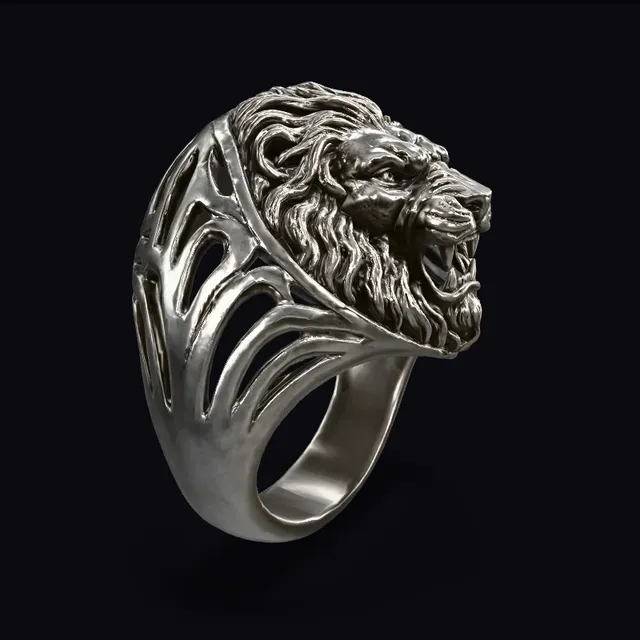
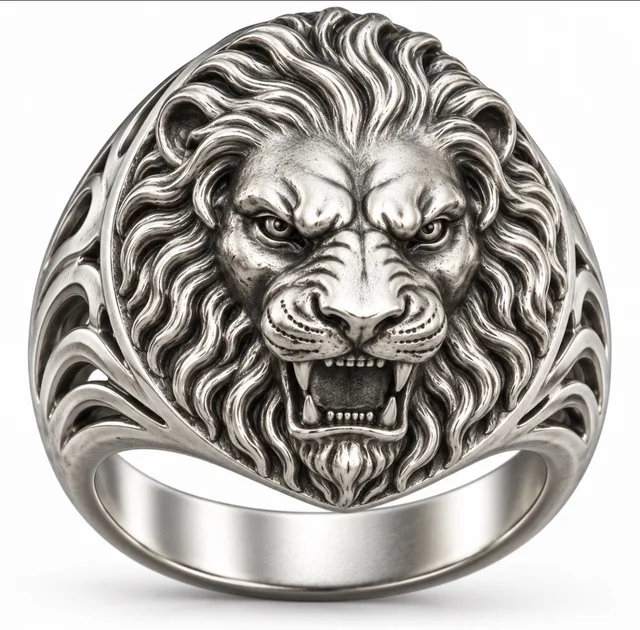
Ranked for printing · November 2026

The Best AI for 3D Printing, Ranked on What Reaches the Slicer

A good render is not a good print file. We compared eight AI tools on repair, sizing, STL and 3MF export and what print prep costs. Snapshapy ranks first: a repaired print mesh at the height you name, for the same 3 credits as the model, about $0.14 on Starter.

  • Repair and sizing compared
  • Cost per printable model
  • STL and 3MF export checked
  • Where rivals print better

The best AI for 3D printing, in short

The best AI for 3D printing depends on what you print.

  • Figurines, gifts, statues and toys from a photo or idea: Snapshapy. You ask the 3D agent for a print version and it remeshes the model, closes folded faces into one solid, sets the height you name in millimetres and tells you whether the mesh is watertight. That job is free, so a printable model costs the same 3 credits as the model itself, about $0.14 on Starter. STL, OBJ and 3MF need a paid plan.
  • Multi-colour prints and split parts: Meshy, Magic3D, Hi3D and Neural4D have colour and split tools, and charge credits for each step. Meshy also has the most slicer plugins.
  • Brackets, enclosures, anything that must fit: use CAD. No AI model generator here knows hole diameters or tolerances.

Prices below are as of November 2026.

Method

What the best AI STL generator has to get right

Most AI 3D tools were built for screens. A printer is stricter, so we ranked on the five things a slicer and a spool care about.

  1. A closed, repaired mesh

    Every edge shared by two faces, no holes, no folded or doubled surfaces. Open meshes slice into missing walls or fail to slice at all.

  2. A sensible triangle count

    Millions of triangles make huge files and slow slicers without adding detail a 0.4 mm nozzle can print. The tool should let you bring the count down.

  3. The size you asked for

    A model that lands at the right height, upright and in millimetres saves a round of scaling and guessing in the slicer.

  4. STL or 3MF on the plan you'll buy

    STL for single-colour prints, 3MF for colour and multi-part plates. Check the export is on the plan, not just in the feature list.

  5. What print prep costs per step

    Repair, split, colour separation and resizing are sometimes free and sometimes billed. We add them to the price of one printable model.

8 tools, ranked

Best AI for 3D printing, ranked for November 2026

Ranked for printing figurines, models and decorative objects from a picture or a description. Every price is as of November 2026.

  1. Our pickBest for single-colour figurines and gifts from a photo

    #1 Snapshapy

    Free 3 credits (GLB) · Starter $19/mo ($9 first month)as of November 2026

    Our own tool, ranked first on the full route to a print file. Every model is built in full colour first; then you ask for a print version and the agent drops the textures, lowers the triangle count, closes the mesh into one solid and scales it to the height you name. The job is free and its card states the size and whether the mesh is watertight. In our Meshy comparison test the downloaded print STL had 0 non-manifold edges. Walk-through on image to STL.

    Why it’s #1, in numbers

    $0.14
    Per printable model on Snapshapy Starter: 3 credits, print prep included
    0
    Extra credits for Snapshapy's remesh, repair and resize to your height
    100 mm
    Default longest side when you don't name a size; any size on request
    5
    Slicers the files open in: Bambu Studio, PrusaSlicer, OrcaSlicer, Cura, Lychee

    Strengths

    • Remesh, repair and resize for print at no extra credits
    • Exact height in millimetres, file lands upright
    • About $0.14 per printable model on Starter
    • STL, OBJ and 3MF open in Bambu Studio, PrusaSlicer, OrcaSlicer, Cura, Lychee

    Trade-offs

    • STL, OBJ and 3MF need a paid plan; free is GLB only
    • Print version has no textures: no multi-colour 3MF
    • No split-with-pins, base or slicer plugin tools
    • Not CAD: no hole sizes or tolerances
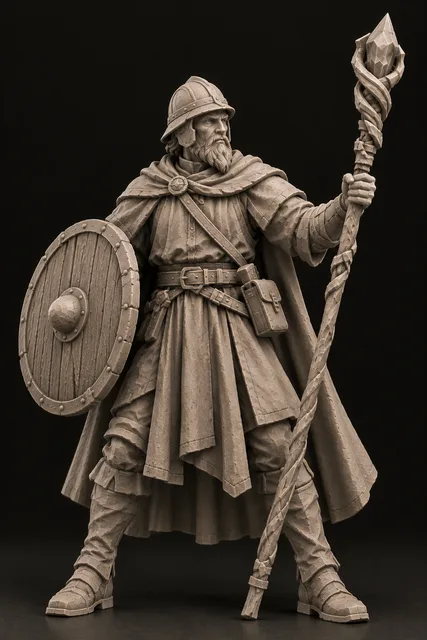
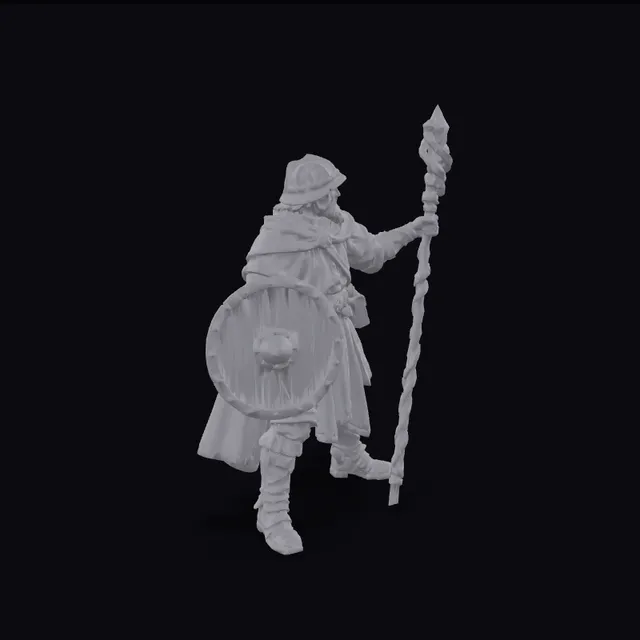
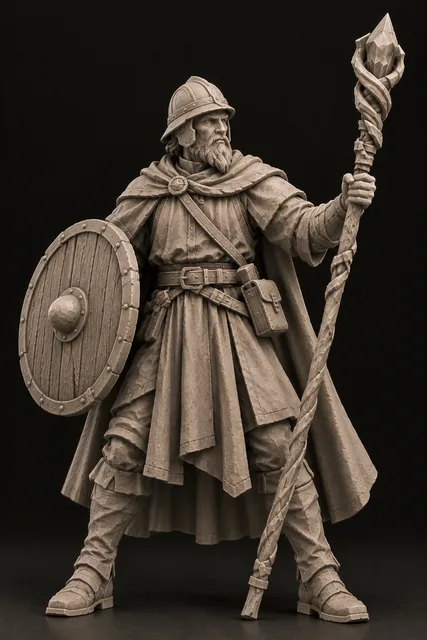
    Textured 3D model of a viking warrior figurine with a round shield and staffPhoto of a resin viking warrior figurine
    Viking figurine, made in Snapshapy
  2. Best for multi-colour prints and slicer plugins

    #2 Meshy

    Free 100 credits/mo · Pro $20/mo ($10 first month)as of November 2026

    The deepest print toolkit here: a free printability check for holes, non-manifold edges and wall thickness, then Repair, Auto Split and Multi-color Print at 10 credits each on its credit table, with STL, OBJ and 3MF export and plugins for Bambu Studio, OrcaSlicer, Cura, Creality Print, Elegoo and Lychee. The cheapest print route, a Meshy 6 Lite mesh plus repair, is 15 credits, about $0.30 on Pro.

    Strengths

    • Free printability analysis before you spend
    • Multi-colour vertex colours for Bambu AMS and Creality CFS
    • One-click send to Bambu Studio on paid plans
    • Mesh-only Lite models from 5 credits

    Trade-offs

    • Repair, Auto Split and Multi-color Print 10 credits each
    • Textured default model plus repair is 40 credits, about $0.80 on Pro
    • Free downloads capped at 10 Lite models a month
  3. Best for template prints like keychains and keycaps

    #3 Magic3D

    Free 20–50 credits once · Pro $19.90/mo or $167/yras of November 2026

    Print-aware from the start: free mesh analysis, then repair (10 credits), resize (5), split (10) and multi-colour 3MF (10), plus templates for keychains, magnets, keycaps and lampshades. An image model costs 30 credits mesh-only, so model plus repair is about 40 credits, roughly $0.40 on Pro. See Snapshapy vs Magic3D.

    Strengths

    • Creative Lab print templates
    • Multi-colour 3MF for 10 credits
    • Credit packs that never expire

    Trade-offs

    • Repair, resize and split each billed
    • Welcome credits expire after 30 days
    • Free assets are CC BY 4.0
  4. Best for highly detailed figurines

    #4 Hi3D (Hitem3D)

    Sharp v3.0 geometry that keeps fine ornament and faces, with Split to Print and Multi-color Print built in. Each costs credits on top of the model: a v3.0 geometry model is 30 credits, Split to Print 20 and Multi-color Print 10. Credits come back when a generation fails on its side. See Snapshapy vs Hi3D.

    Strengths

    • Faithful, crisp v3.0 geometry
    • Split to Print and Multi-color Print tools
    • Failed generations return credits

    Trade-offs

    • Split to Print 20 credits, Multi-color 10
    • v3.0 geometry alone is 30 credits
    • Free plan: 100 credits for life
  5. Best for many untextured prints on a budget

    #5 Neural4D

    Free 50 credits/wk · Go $19.90/mo ($9.90 first month)as of November 2026

    Cheap untextured meshes, which is what a single-colour print needs: 10 credits each, about $0.13 on Go. STL is among its formats, and paid plans add Part Split, which exports parts that fit your build volume as 3MF, and Smart Multicolor. See Snapshapy vs Neural4D.

    Strengths

    • About $0.13 per untextured model on Go
    • Part Split to your build volume, as 3MF
    • STL, OBJ, FBX, GLB, USDZ and .blend

    Trade-offs

    • Free downloads are untextured and public domain
    • Go is $19.90 a month after the first
    • No sizing-to-height step listed
  6. Best for segmented hard-surface parts

    #6 Tripo

    Free 200 credits/mo · Pro $20/mo billed yearly ($240)as of November 2026

    Tripo says its models are typically watertight and suitable for printing, exports STL, OBJ and 3MF, and splits models into parts with Smart Segmentation on paid plans. It recommends checking size, walls and supports in your slicer. Pro is $240 a year for about 200 models a month. See Snapshapy vs Tripo.

    Strengths

    • Typically watertight output, by Tripo's account
    • Smart Segmentation into parts
    • About $0.10 a model at the annual rate, full use

    Trade-offs

    • Headline price is $240 up front
    • Free models public and non-commercial
    • Sizing and wall thickness left to the slicer
  7. Best for one detailed hero piece

    #7 Rodin (Hyper3D)

    Free previews · Creator $24/mo billed yearly ($288)as of November 2026

    Detailed, photoreal results with an STL export, but it is built for render and game pipelines: its plans list no print preparation tools. Creator lists at $30 a month (a 50% discount was showing on monthly billing when we checked) or $24 a month billed yearly. See Snapshapy vs Rodin.

    Strengths

    • Preview before paying for a result
    • STL, OBJ, GLB, FBX, glTF and USDZ
    • Strong surface detail

    Trade-offs

    • No print prep tools listed
    • About $0.50 a model at Creator's $30 list price
    • Free exports from legacy models only
  8. Best for cheap drafts to test a print idea

    #8 Fast3D

    Free 300 credits/mo · Pro $10/mo or $84/yras of November 2026

    Low-cost generation with STL among its exports (GLB, glTF, FBX, OBJ and STL), and models it says are ready in seconds. No repair, sizing or split tools are listed, so plan to fix files in the slicer. See Snapshapy vs Fast3D.

    Strengths

    • Pro from $84 a year
    • STL export
    • Guest generation without a login

    Trade-offs

    • No print preparation tools listed
    • 2 downloads a day on the free plan
    • API not available yet

When the best AI for 3D printing is not an AI model generator

Every tool on this page makes sculpted shapes. That is the right job for figurines, busts, toys, ornaments and gifts, and the wrong one for anything that has to fit.

  • Use CAD for functional parts. Brackets, enclosures, replacement knobs and anything with a screw hole need exact dimensions, and a generated mesh only gets the overall size right.
  • Use a colour tool for multi-colour prints. Snapshapy's print version is a single solid without textures. If you want an AMS print that keeps the colours, Meshy, Magic3D, Hi3D or Neural4D have colour tools, for extra credits.
  • Use Snapshapy for the rest. One photo or description, a textured model in 4–7 minutes for most, and a sized print file at no extra cost. Start from image to 3D or compare plans on pricing.

Questions

Frequently asked questions

Short answers, with the same dated numbers as the ranking above.

Make a printable model

What is the best AI for 3D printing?

For figurines, gifts and decorative prints from a photo or idea, Snapshapy: the agent remeshes, repairs and scales the model to your height for free, so a printable model is about $0.14 on Starter. For multi-colour prints, Meshy's colour and split tools are deeper, at 10 credits per step. For functional parts with exact dimensions, use CAD.

Can AI make an STL file for 3D printing?

Yes. Snapshapy, Meshy, Tripo, Neural4D, Rodin and Fast3D all list STL export. The difference is what happens before export: whether the mesh is repaired into one solid, how many triangles it has and whether it arrives at the size you want. On Snapshapy STL export needs a paid plan, and print preparation is free.

Is an AI STL file watertight?

Not always. Generated meshes can have holes, folded faces or doubled surfaces. Snapshapy's print job closes them into one solid and its card says whether the result is watertight. Meshy runs a free printability check and charges 10 credits to repair. If a slicer flags errors, Bambu Studio and PrusaSlicer can repair the file on import.

How do I print an AI model at the right size?

Tell the tool before you export, if it can take a size. On Snapshapy you name the height, for example 12 cm, and the STL comes out at exactly that, upright and in millimetres; without a size, the longest side is 100 mm. Other tools leave scaling to the slicer, which works but needs checking.

STL or 3MF: which should I export?

STL for a single-colour print: every slicer reads it and it holds just the surface. 3MF keeps units, multiple parts and colour data in one file, which is why multi-colour printers prefer it. Snapshapy exports both on paid plans; its print version is a single uncoloured solid, so STL is usually all you need.

Which is the best AI STL generator for multi-colour prints?

Snapshapy is not: its print version removes textures, so it prints in one colour. Meshy adds vertex colours for Bambu AMS and Creality CFS for 10 credits, Magic3D exports a multi-colour 3MF for 10 credits, Hi3D's Multi-color Print costs 10 and Neural4D lists Smart Multicolor on paid plans. Check the result in your slicer before printing.

Can I print an AI 3D model for free?

On Snapshapy, no: the free 3 credits make one textured model that downloads as GLB, and STL, OBJ and 3MF exports start on Starter, $9 for the first month. Free tiers elsewhere have download caps and licence limits, such as 2 downloads a day on Fast3D or non-commercial models on Tripo.

Can AI design functional 3D printed parts?

Not reliably with these tools. AI 3D model generators make sculpted shapes and can get the overall size right, but they don't know hole diameters, wall tolerances or threads. For a bracket, an enclosure or a replacement part, use CAD. Use an AI generator for figures, ornaments, toys and other shapes where a millimetre doesn't matter.

#1 Snapshapy

Try the best AI for 3D printing on your own photo

3 free credits make one textured model. Print files at your height in STL, OBJ or 3MF start on Starter, $9 for the first month.

Make a printable model