Free browser tool
Free STEP Viewer for CAD Files
Drop a .step or .stp from SolidWorks, Fusion, Onshape, FreeCAD or a supplier's catalogue and see the parts in seconds, with colours and size in mm. Free, nothing to install, and the file stays on your device.
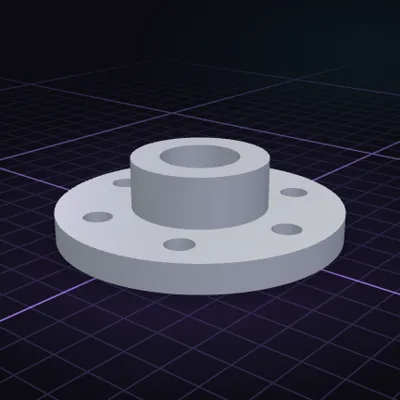
- .step and .stp
- Parts and colours kept
- No upload, no CAD licence
How to open a STEP file online
STEP is the neutral format CAD tools use to swap exact geometry. This STEP viewer online turns it into something you can orbit, without a CAD seat.
- 01
Drop the .step or .stp
Click Open 3D file or drag it onto the viewer. The two extensions are the same format. The first STEP file takes a few extra seconds while the CAD engine loads into the page.
- 02
Look at the assembly
Orbit, zoom and pan. Each part keeps its colour from the CAD file where one was set; Clay shading shows everything in one tone.
- 03
Read the size
The bounding box of the whole model is given in mm, cm or inches, with mesh counts in the side panel.
Why a STEP file viewer needs a CAD engine
An STL or a GLB is already made of triangles. A STEP file isn't. It describes exact surfaces, the boundary representation or B-rep: planes, cylinders, cones and freeform NURBS patches, trimmed by their edges.
A graphics card can only draw triangles, so before anything appears, the viewer runs an open-source CAD kernel, compiled to run inside your browser, that tessellates every surface into a triangle mesh. That is why:
- STEP opens slower than STL. A large assembly can take several seconds to tessellate.
- The triangle count is the viewer's, not the file's. Curved faces get more triangles, flat faces fewer.
- Your file still stays local. The engine comes to the page; the STEP file never goes anywhere.
What the STEP viewer shows, and what stays in CAD
A viewer answers "what is this part and how big is it". Design questions still belong in CAD.
| Shown here? | Notes | |
|---|---|---|
| Solid geometry of every part | Yes | Tessellated into triangles on load |
| Assemblies with many parts | Yes | Each part becomes its own mesh |
| Part colours | Yes | When the CAD tool wrote them into the file |
| Overall size | Yes | Bounding box in mm, cm or inches |
| Feature tree, sketches, constraints | No | STEP never stores them; only the native CAD file does |
| Measuring between points, sections, PMI | No | Use your CAD tool or its free viewer |
AP203, AP214 and AP242 are versions of the STEP standard. Geometry from all three is read the same way.
What to check when a supplier sends a STEP
Most STEP files you receive are parts you will fit, buy or print. A quick look in the STEP viewer answers the first questions.
Is it the right part?
Catalogue downloads often come in several variants. Orbit it and compare the features with the datasheet.
Overall size
Compare the bounding box with the space it has to fit, before you request a quote.
Part count
A motor or connector may arrive as one simplified body or as dozens of internal parts. The meshes count tells you which.
Printability
If you plan to 3D print it, look for thin walls and small holes that need care at your nozzle size.
STP viewer tips
Small habits that make STEP files easier to share and check.
Do
- Export STEP AP214 or AP242 when you want colours to survive
- Send STEP rather than STL when the receiver will keep designing
- Check the size here before you request a quote
- Export STL or 3MF from your CAD tool when you need to print
Avoid
- Expect to edit features: STEP has no history
- Rely on this page for tolerances or exact measurements
- Judge a curved surface's accuracy by the triangle facets you see
- Send a whole machine assembly when one part answers the question
From CAD parts to organic shapes
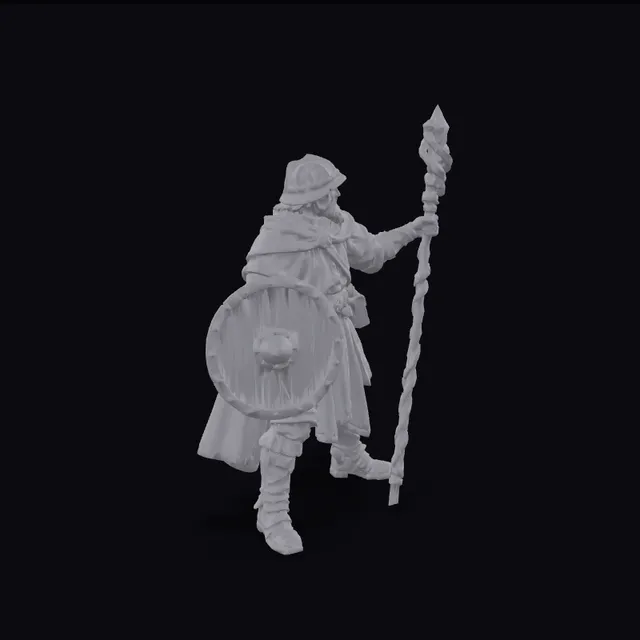
CAD is the right tool for brackets and housings. For organic objects such as figurines, props and characters, the Snapshapy agent at /app makes a textured 3D model from a single photo in 4–7 minutes. See image to STL for printing, or image to 3D for everything else.
The first model is free with 3 credits on a new account and downloads as GLB. STL, OBJ, 3MF and USDZ export come with a paid plan (pricing). Snapshapy makes meshes, not STEP files.
- For shapes CAD struggles with
- Photo in, model out in minutes
- GLB free, STL on paid plans
Frequently asked questions
How do I open a STEP file without CAD software?
Drop the .step or .stp onto the STEP viewer at the top of this page. It is tessellated in your browser and appears with its parts, colours and overall size in mm. There is no SolidWorks, Fusion or FreeCAD to install and no account, so it works on any computer with a recent browser.
Is this STEP viewer free?
Yes. No sign-up, no licence, no watermark and no limit on files. The CAD engine runs on your own computer, so there is nothing for us to charge for. Each file can be up to 200 MB; very large assemblies may take a while to tessellate on an older laptop.
What is the difference between .step and .stp?
None. Both are the same ISO 10303 format, and the extension depends only on the exporting program's habit. The STP viewer and the STEP viewer on this page are the same tool. If a file won't open in some app because of its extension, renaming .stp to .step or back is safe.
Is my STEP file uploaded?
No. The CAD engine is loaded into the page and the file is converted on your own device; no byte of your design is sent to a server. That makes it safe for unreleased products and parts under NDA. The status bar under the viewer confirms that nothing was uploaded.
Why does a STEP file take longer to open than an STL?
An STL is already a list of triangles, so it only needs drawing. A STEP file stores exact curved surfaces, and every one of them has to be tessellated into triangles before your graphics card can show it. The first file also waits for the CAD engine to load.
Can I measure distances in the STEP file viewer?
Not between points. The STEP file viewer gives the overall bounding box in mm, cm or inches, which answers whether a part fits a space. For distances between features, hole diameters or tolerances, use your CAD tool or the free viewer from your CAD vendor.
Can I convert a STEP file to STL for 3D printing?
Not on this page, which only views files. Any CAD tool that opens STEP exports STL or 3MF, including free ones such as FreeCAD, and you choose the tessellation quality there. For organic shapes made from a photo, Snapshapy exports STL and 3MF on a paid plan.
Related tools
Open your STEP file now
Drop the .step or .stp into the STEP viewer at the top of the page. It opens in seconds and never leaves your computer.